Home Features Pricing Resources About Contact
ES EN FR PT IT

Features

Discover all the tools LiftGest offers to manage your lifting equipment inspections.

Families & equipment

Organize your equipment by families

Define equipment families (slings, shackles, hoists, chains, hooks...) with their own inspection frequency and verification checklists. Each piece of equipment automatically inherits its family rules.

  • Configurable frequency — each family defines how often its equipment is inspected
  • Family checklist — specific verification points for each type of equipment
  • Complete records — tracking, serial number, manufacturer, max load, dates, attached documents
  • Open documentation — certificates, manuals, declarations of conformity — no type restrictions
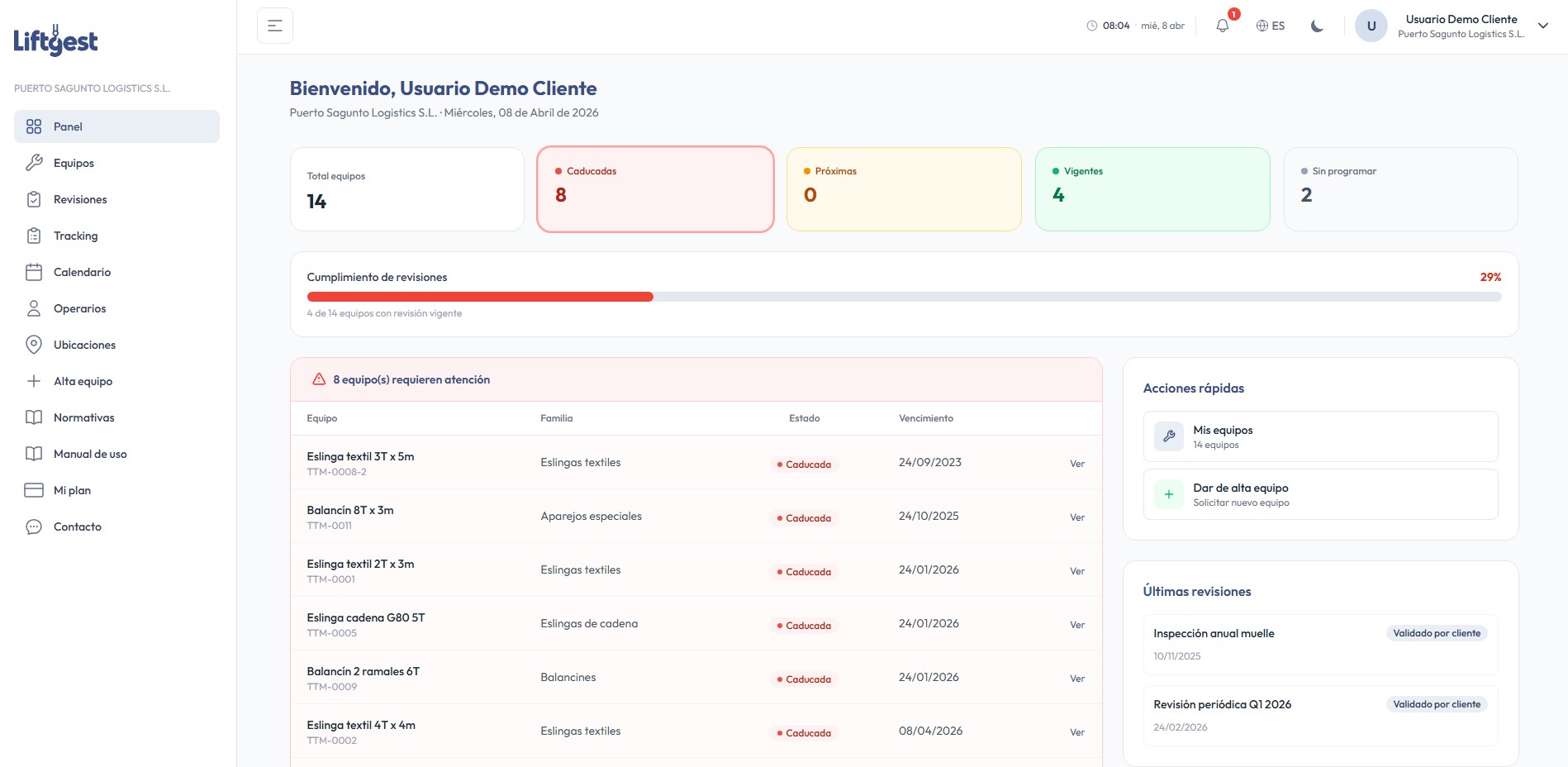
Inspection status dashboard
Valid Inspection up to date
Upcoming Due within 30 days
Expired Inspection overdue
Unscheduled Pending first inspection

Each piece of equipment shows its status in real time. Alerts are sent automatically by email before each expiry.

Operator portal
Scan equipment
Equipment identified
Textile sling 3T — #TRK-00142
Grúas Valencia S.L.
Quick Test
Visual condition correct
No deformations
Label legible
Operator portal

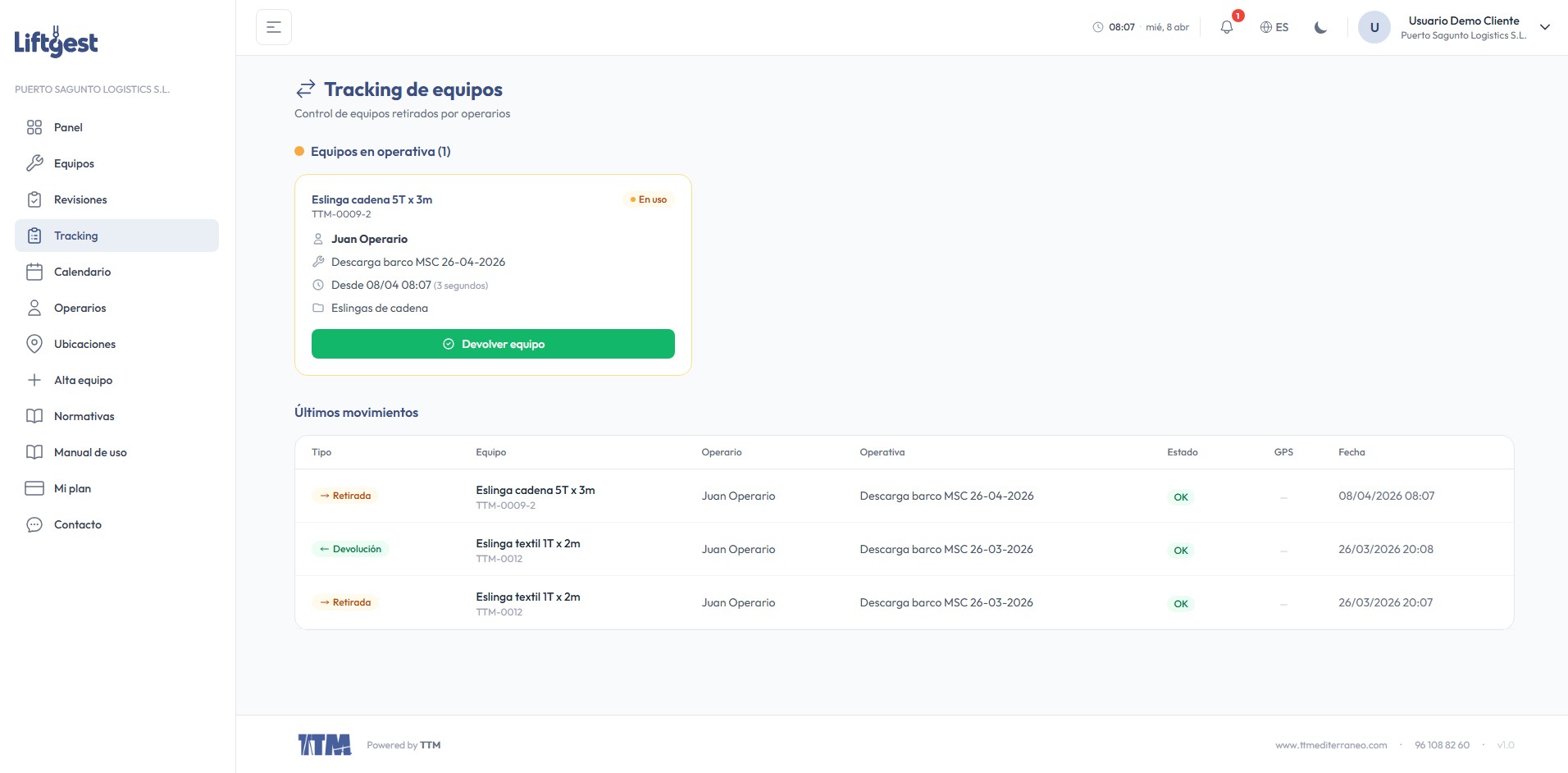
Custody and traceability from mobile

Operators access a mobile-first portal designed for fieldwork. They scan the equipment QR or NFC, complete the quick test and register withdrawal or return instantly.

  • QR/NFC scanning — identify equipment instantly by pointing the camera
  • Mandatory Quick Test — verification checklist before withdrawal, with blocking items
  • Camera photos — photographic documentation of equipment condition on withdrawal and return
  • Full traceability — complete history of who had each piece of equipment, when and in what condition
Inspections & compliance

Complete inspection cycle

Manage the full lifecycle of each inspection from planning to closure, with status control, verification checklists and inspection books. Fully compliant with lifting equipment regulations.

  • 5 inspection states — in progress, preparing report, sent, validated, closed
  • Per-equipment assessment — pass, fail, with detailed observations and comments
  • Inspection book — public access by token so the client can check the history
  • Automatic alerts — grouped emails per company before each equipment expiry
Inspection lifecycle
1
In progress
Inspector performing the inspection on-site
2
Preparing report
Drafting and editing the professional report
3
Sent to client
Report delivered, pending validation
4
Validated by client
The client has reviewed and accepted the report
5
Inspection closed
Inspection completed and archived
Client dashboard
24
Equipment
18
Valid
3
Expired
View and check all my equipment
Register new equipment (admin approval)
Manage operators and locations
Check inspections and their status
My plan, usage and billing
Client portal

Your clients with full autonomy

Each client company accesses their own portal where they can check their equipment, inspections, documentation and operators. They can register new equipment which the admin approves before entering the inspection cycle.

  • Own dashboard — equipment summary, statuses and upcoming inspections at a glance
  • Equipment registration — the client proposes, the admin approves or rejects
  • Operator management — create, edit and deactivate operators for their company
  • Locations — define and organize locations where equipment operates
More tools

And much more for your daily work

Professional reports

Word-like editor with A4 format, branded cover, image insertion with resizing, page breaks and automatic numbering. PDF export ready to deliver to clients.

Quotations & estimates

Quote lines with free concepts, categories (travel, labor, overnight...), automatic numbering COT-YYMMDD-XXX, email delivery and quick duplication.

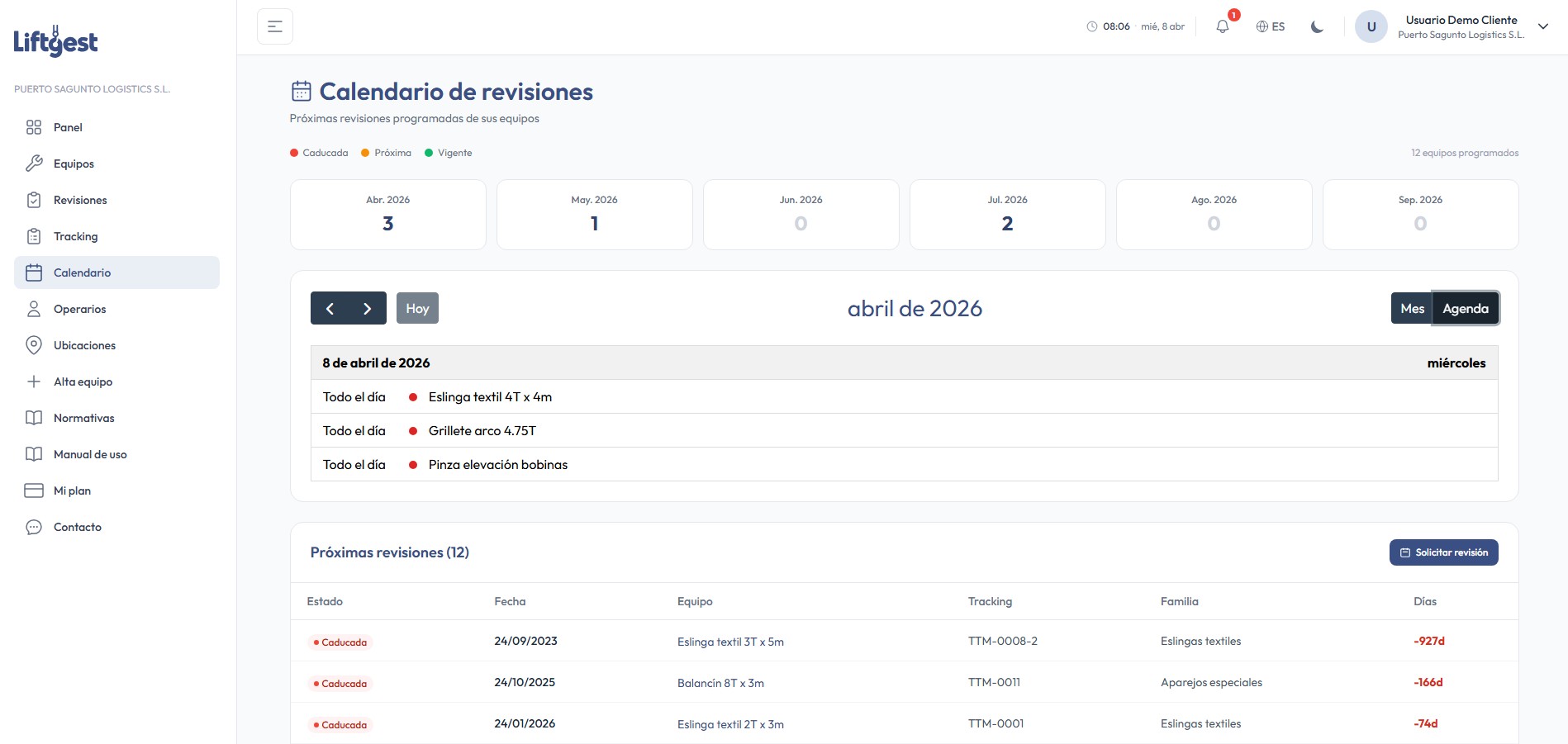
Inspection calendar

Monthly view with all planned inspections. Automatic email alerts grouped by company before each expiry. Configurable advance days.

QR labels

Generate individual QR labels with branded cards or in batch (21 labels per A4). Scanning leads directly to the operator portal to withdraw or return equipment.

Equipment approval

Clients propose new equipment from their portal. The admin reviews, approves or rejects before the equipment enters the inspection cycle. Full inventory control.

Subscriptions & add-ons

Plans with equipment, user and operator limits. Add-ons to expand: extra equipment packs, additional operators and specialized modules. Custom overrides per client.

Ready to get started?

Choose the plan that best fits your company or contact us for a custom solution.